
Captain Tsubasa 2: World Fighters Controls Guide
Button layouts for PS5, Xbox, Switch, and PC keyboard, plus stamina costs and action windows.
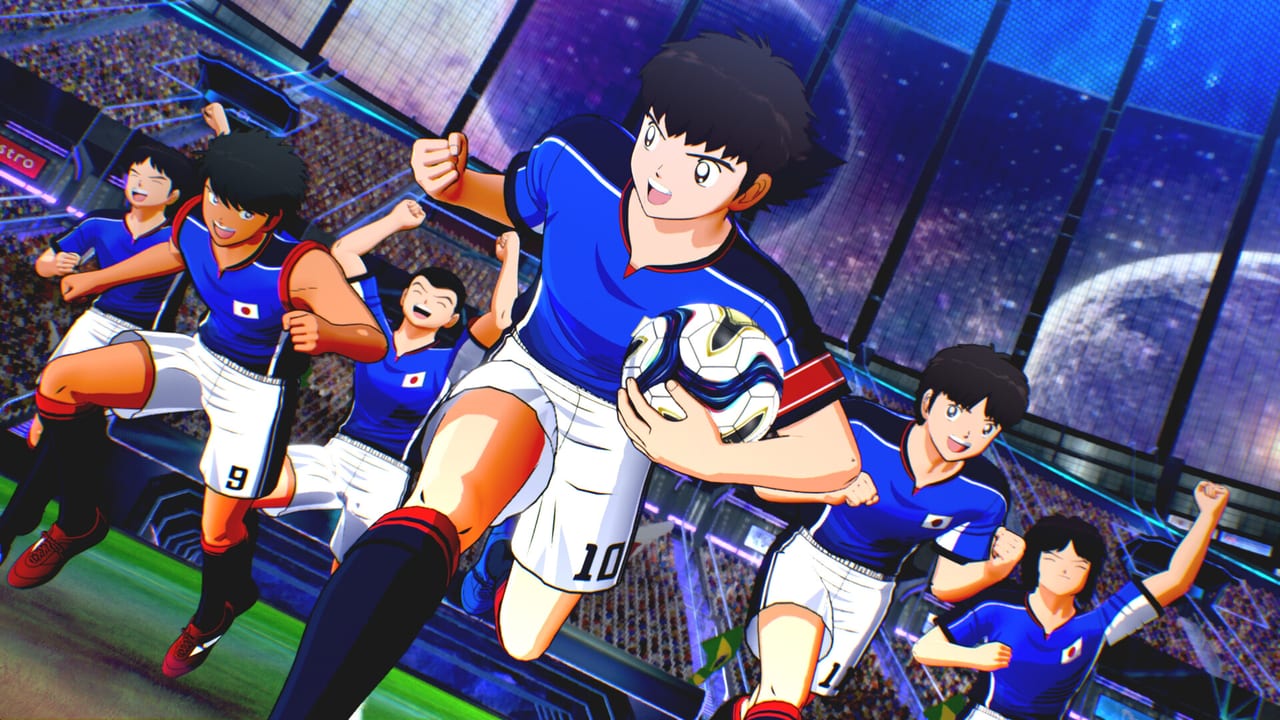
Captain Tsubasa 2: World Fighters supports four platforms: PlayStation 5, Xbox Series X|S, Nintendo Switch, and Steam for Windows 11. Each platform has its own controller layout, and the keyboard-only option on PC uses a distinct mapping. This page is the button reference desk. It does not replace playing the game — it gives you the map before you start. The game launched 27 August 2026 in Japan and 28 August 2026 worldwide, including Steam.
Read this alongside How to Play for the systems those buttons execute, and Super Moves for the gauge-triggered actions those same buttons fire.
Platform button layouts
All four platforms share the same core actions. The button labels below follow the standard convention for each platform.
PlayStation 5 (DualSense):
- X / Cross: Pass / Confirm
- Circle: Shoot / Cancel
- Square: Super Move / Skill action
- Triangle: Through ball / Header
- L1: Sprint (hold)
- R1: Super Shot charge / Max Action
- L2: Tight control / Feint
- R2: Super Tackle / Super Block
- D-Pad: Formation shift (pre-match) / Quick substitution (in-match)
- Touchpad: Pause menu
Xbox Series X|S (Xbox Wireless Controller):
- A: Pass / Confirm
- B: Shoot / Cancel
- X: Super Move / Skill action
- Y: Through ball / Header
- LB: Sprint (hold)
- RB: Super Shot charge / Max Action
- LT: Tight control / Feint
- RT: Super Tackle / Super Block
- D-Pad: Formation shift (pre-match) / Quick substitution (in-match)
- View button: Pause menu
Nintendo Switch (Joy-Con / Pro Controller):
- A: Pass / Confirm
- B: Shoot / Cancel
- X: Super Move / Skill action
- Y: Through ball / Header
- L: Sprint (hold)
- R: Super Shot charge / Max Action
- ZL: Tight control / Feint
- ZR: Super Tackle / Super Block
- D-Pad: Formation shift (pre-match) / Quick substitution (in-match)
- Plus button: Pause menu
PC Keyboard:
- W / A / S / D: Movement
- Space: Sprint (hold)
- E: Pass / Confirm
- Q: Shoot / Cancel
- Shift: Super Move / Skill action
- F: Through ball / Header
- Ctrl: Super Tackle / Super Block
- Alt: Tight control / Feint
- Tab: Super Shot charge / Max Action
- Escape: Pause menu
Action categories and stamina cost
Every action in the game fits into one of three categories based on how it interacts with your Spirit Gauge:
Free actions cost no Spirit: basic movement, basic pass, basic shot, standing tackle. Use these to conserve during build-up.
Moderate-cost actions consume Spirit on use: Super Pass, Super Dribble, Super Tackle, Super Block. These are the bread-and-butter of competitive play. Budget them across the match.
High-cost actions consume significant Spirit: Super Shot, charged shots, Max Actions, and Miracle Actions. A Super Shot from outside the box might cost 15-20 percent of your striker’s Spirit in a single activation. Max Actions cost Spirit on top of the normal action cost. Do not spam high-cost actions in the first 20 minutes.
Sprint and the dash button
Holding the sprint button provides the fastest movement but drains Spirit continuously. The rate is not published in official sources, but the pattern is consistent: a player who holds sprint for ten consecutive seconds is noticeably slower by minute 30. Walk when building up; sprint only when closing a gap or exploiting space.
On PS5 and Xbox, hold L1 or LB respectively. On Switch, hold L. On PC, hold Space.
Super Move gauge and trigger
Every character has a personal Super Move gauge that fills during normal play. When the gauge is full, pressing the Super Move button triggers a character-specific action: a Super Shot, Super Pass, Super Dribble, Super Tackle, or Super Block depending on the situation and player role.
The gauge fills faster during Chain Level builds. High chain means faster gauge. The official sources describe this as intentional: the systems reward connected play.
On PS5 press Square. On Xbox press X. On Switch press X. On PC press Shift.
Super Shot charge and Max Action
R1 (PS5), RB (Xbox), R (Switch), Tab (PC) triggers the Super Shot charge when held, which powers up a shot before release. The longer you hold, the more powerful the shot — but the more Spirit you spend, and the more time you give the keeper to set.
The same button triggers Max Action during open play: a high-risk, high-reward offensive or defensive move that can win or lose a duel. The timing window for Max Action is not published; practice it in the match-lobby Practice mode before using it in ranked.
Goalkeeper controls
When playing as the goalkeeper in Team Edit or specific modes:
- PS5: L1 + R1 together to dive in the chosen direction
- Xbox: LB + RB together to dive
- Switch: L + R together to dive
- PC: Space + Tab together to dive
Goalkeeper positioning is automatic in most modes; you control the dive direction and timing.
What this guide does not cover
Frame data, exact Spirit costs per action, and per-character input variations are not published in official sources as of the August 2026 launch. Community testing will produce these values over the first weeks. When verified tables exist, this page will link to them.
The keyboard layout assumes default settings. Remapping is available in the Options menu if the default PC scheme conflicts with your peripherals.
Frequently Asked Questions
Quick answers for launch week on PS5, Xbox, Switch, and Steam.
What button triggers Super Move in Captain Tsubasa 2?
PS5: Square, Xbox: X, Switch: X, PC: Shift. This triggers the character's specific Super Move when the gauge is full.
Does sprint cost Spirit Gauge?
Yes. Holding the sprint button continuously drains Spirit. Walk during build-up and sprint only when closing a gap or exploiting space.
What is the difference between Super Shot and a regular shot?
Super Shot requires a full personal gauge and costs significant Spirit, but produces a much more powerful shot with unique animation. Regular shots are free actions.
How do I trigger Max Action?
R1 (PS5), RB (Xbox), R (Switch), Tab (PC) during open play triggers Max Action. It is a high-risk, high-reward move. Practice it in Practice mode first.
Can I remap PC keyboard controls?
Yes. Remapping is available in the Options menu. The default PC scheme is listed above.
What are the goalkeeper dive controls?
PS5: L1 + R1 together, Xbox: LB + RB together, Switch: L + R together, PC: Space + Tab together to dive in the chosen direction.